

What Is a BRAND.md File? A Starter Template for Hardware Brands

What is a brand.md file? See a starter template for hardware brands to align AI tools with your specs, tone, and guardrails.
What Is a BRAND.md File?
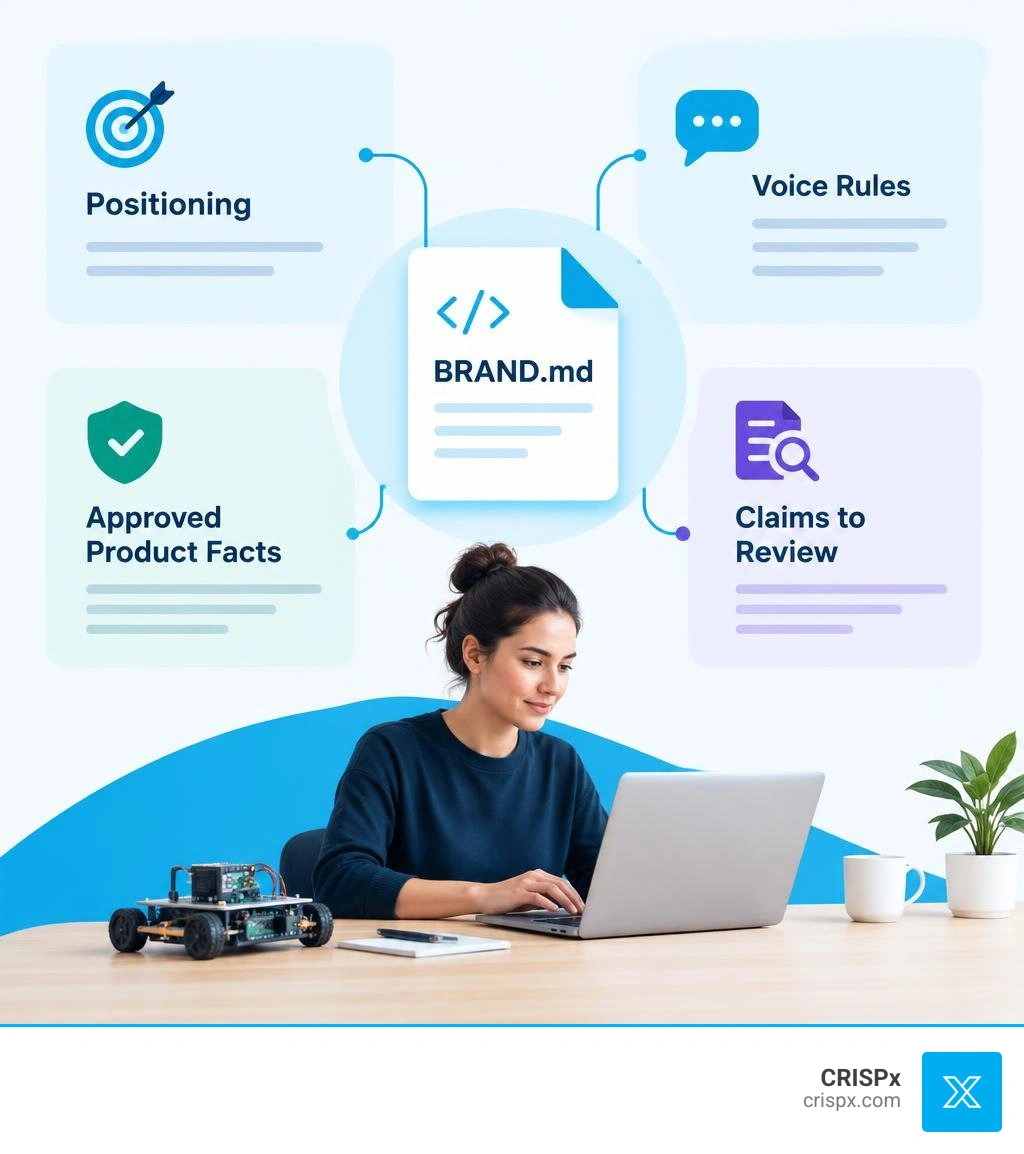
A BRAND.md file is a short Markdown document that tells AI tools how your company talks about its products. It can hold your positioning, voice rules, approved specs, words to avoid, and claims that need review. Paste it into an AI tool or attach it to a prompt so the tool has those rules before it writes.
For a small hardware team, that means product pages, launch emails, sales decks, and social posts can start from the same facts and message. The file does not replace a fact check, but it gives your team one place to update the rules when a spec or claim changes.
What Is a brand.md File and Why Hardware Teams Need It
When an engineer founder builds a breakthrough robotics controller, custom IoT sensor, or high-performance computing component, explaining the product is often the hardest part. You open ChatGPT or Claude to draft a landing page, and the output sounds like generic marketing fluff. It invents battery life numbers, uses buzzwords like "disruptive," or ignores your core technical differentiators.
The question what is a brand.md file comes down to context management: it is a structured, plain-text standard written in Markdown syntax that brings your company's identity directly into the context window of modern AI tools. Instead of pasting five paragraphs of instructions into every single prompt, you maintain a single file that makes your brand machine-readable.
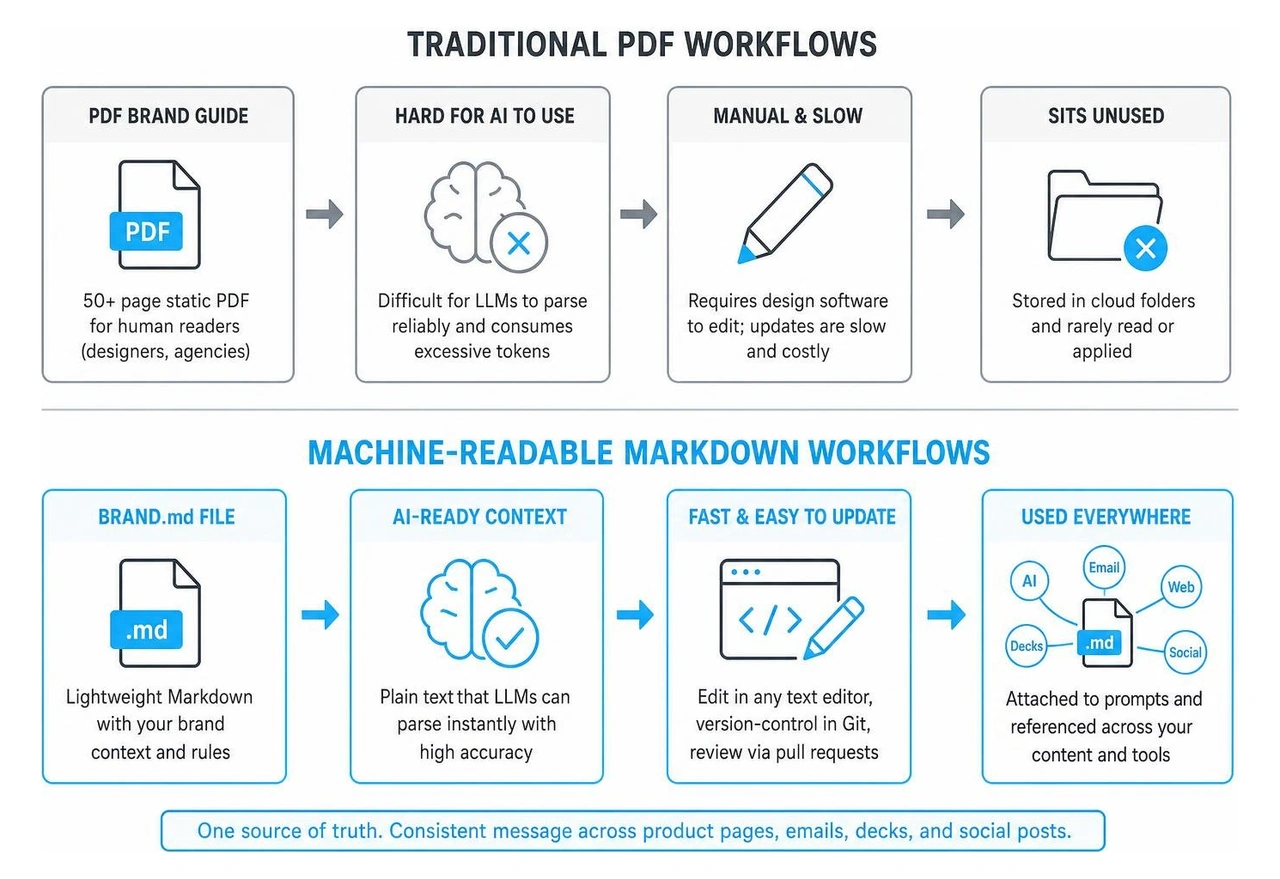
| Attribute | Traditional PDF Brand Guide | BRAND.md File |
|---|---|---|
| Primary Audience | Human designers and external agencies | AI agents, developers, and founders |
| Format | 50+ page static PDF | Lightweight, version-controlled Markdown (.md) |
| AI Usability | Hard for LLMs to parse reliably; consumes excessive tokens | Instant context ingestion via plain text |
| Maintenance | Requires graphic design software to edit | Updated in any code editor or simple text editor |
| Execution | Sits unread in cloud storage folders | Directly referenced in prompts and development environments |
What is a brand.md file vs traditional PDF guidelines?
Traditional brand guidelines are heavy, multi-page PDFs created in tools like InDesign or Illustrator. They look beautiful on a coffee table, but they fail modern engineering workflows. AI models cannot easily reference design tokens or nuanced tonal parameters buried across complex visual layouts.
Modern teams need AI-ready brand guidelines that integrate with automated toolchains. A Markdown-based format removes friction. You can commit it to Git, review changes with pull requests, and let developer tools read your voice parameters just as easily as they read code.
The Three Core Layers: Precision, Semantic, and Relationship
The brand.md open standard on GitHub organizes brand knowledge into three distinct layers:
- Precision Layer: Exact values such as color hex codes, typographic scales, spacing tokens, and strict hardware limits.
- Semantic Layer: Emotional descriptors, mood values, voice tone modifiers, and intent statements that teach the AI why certain words or themes are used.
- Relationship Layer: Governance rules, approved pairings, and causal rationale (often called "because" statements) that prevent the model from combining incompatible elements.
What Goes Inside an AI-Executable Brand File

A comprehensive brand context document contains your operational truth. It uses YAML frontmatter for machine parsing, followed by clear sections that define how you speak and how you look.
Strategy and Positioning Foundation
Clear positioning stops your product pages from reading like dry spec sheets. By anchoring your product with strong brand strategy for tech companies, you give AI tools a clear baseline for every marketing asset. This section outlines:
- One-Line Positioning: Who the product is for, the category it operates in, and the primary problem it eliminates.
- Ideal Customer Profile (ICP): The technical buyer or enthusiast who makes the purchasing decision.
- Core Value Proposition: The primary commercial or operational outcome your hardware delivers.
- Competitor Differentiation: Why your architecture, processing efficiency, or hardware build outperforms alternatives.
Tone, Voice Rules, and Approved Technical Terminology
Engineer founders often face three common marketing pitfalls: the launch falls flat because the story is missing, growth stalls after an initial sales burst, or people do not understand the product because the website reads like a data sheet.
Applying established brand strategy design principles directly to your AI instructions ensures your copy leads with user benefits before diving into raw numbers.
- Tonal Rules: Define voice traits such as direct, authoritative, pragmatic, and clear.
- We Say vs. We Never Say: Explicit lists that replace jargon with grounded language.
- Banned Buzzwords: Words like "revolutionary," "game-changing," or "magic" that degrade technical credibility.
- Claims Requiring Legal Review: Certifications (e.g., FCC, CE, RoHS) or latency benchmarks that an AI must never fabricate.
Visual Tokens and Multi-Brand Inheritance
Even for verbal copy, visual token context matters. When you combine your identity rules with sound brand identity design standards, coding assistants can write web components and emails using exact palette tokens and accessibility ratios.
You can define primary UI primitives, font pairings, and contrast thresholds directly alongside your messaging rules.
Copy-Ready BRAND.md Starter Template for Hardware Startups
You can adapt the following template structure for your hardware startup. Copy the text, populate your specific variables, and save it as brand.md in your project root.
Frontmatter and Core Identity Setup
Building clear branding for startups starts with locking down a few basics at the top of the file. Copy these lines into your brand.md and fill in each field:
brand:Your company name, written exactly as it should appear.product:The product name and model, with the correct capitalization.one_line:Who it is for, what it is, and the problem it solves, in one sentence.audience:The buyer who makes the decision (for example, a robotics lead or an IT buyer).voice:Three to five voice traits, such as direct, plain, confident.last_reviewed:The date someone last checked the facts in this file.
Hardware Messaging and Spec Guardrails
Below the basics, add these sections. Keep each one short, and only list facts your team has confirmed:
- ## Message: What the product does for the buyer, then the three proof points that back it up.
- ## Approved specs: The exact numbers you can publish, with units (battery life, weight, ratings).
- ## Never claim: Specs, ratings or certifications you do not have, written as plain rules (for example, "Do not claim IP68").
- ## Needs review: Claims that must be checked by a person before they go out, such as certifications or benchmark results.
- ## We say / we never say: Preferred terms next to the jargon or buzzwords they replace.
- ## Visual basics: Brand colors, fonts and logo rules, if your AI tools also make pages or graphics.
How to Implement, Version, and Maintain Your BRAND.md File

Adopting a machine-readable brand standard connects directly with modern brand building in digital marketing. Place your brand.md file at the root of your code repository alongside your other documentation files.
Integrating with Cursor, Claude Code, and Copilot
When building landing pages, documentation sites, or customer-facing apps, your AI coding assistants need brand guardrails just like they need code conventions.
- Claude Code: Keep
brand.mdin the root directory and point to it from your project instructions file (CLAUDE.md), so the assistant reads it when it writes copy or builds pages. - Cursor: Use
@brand.mdin your chat prompts or link it within your.cursorrulesfile to force generated components to follow your styling and terminology. - LLM Prompting: When generating newsletters, social posts, or press releases in ChatGPT or Claude, simply attach or paste your
brand.mdfile to set the system context.
Version Control and Cascade Hierarchy Across Sub-Brands
If you have several product lines, one simple way to organize them is a parent file plus a short file for each product:
- Master Root File: Place your primary company guidelines at the root directory.
- Child Directory Files: Place a sparse
brand.mdinside subdirectories (e.g.,/products/vision-sensor/brand.md). - Additive Guardrails: Treat the product file as an add-on to the parent: it changes only product names, specs and accent colors, and it can add stricter rules but should never remove the parent's rules.
Frequently Asked Questions About BRAND.md Files
What is a brand.md file and how does it differ from a design.md file?
A brand.md file defines who you are and how you communicate, covering your strategy, positioning, voice rules, approved specs, and tone. A design.md file defines how you render UI components, focusing purely on UI tokens, layout constraints, spacing primitives, and component logic. They complement each other: brand.md provides the contextual intent, while design.md handles visual implementation.
How does brand.md prevent AI hallucinations with hardware specs?
By providing a clear list of approved specifications alongside explicit negative guardrails (e.g., "Do not claim IP68 waterproof ratings"), the AI has your confirmed numbers in front of it, which makes it less likely to guess. Still have a person check specs before anything is published.
Can child product lines inherit rules from a parent brand.md?
You can set it up that way. Keep company-wide rules in the parent file, and give each product a short file with only its own specs and differences. When you prompt an AI tool, include both files so it has the shared rules and the product details.
Conclusion
A well-crafted brand.md file ensures your marketing copy, sales decks, and launch pages remain accurate, clear, and aligned with your engineering strengths.
At CRISPx, we apply our DOSE Method™—Diagnosis (finding what is broken), Prescription (fixing the biggest problem first), and Prognosis (setting clear targets and tracking them)—to align the four core emotional drivers that turn technical specs into market demand:
- Dopamine: Making buyers want your product.
- Oxytocin: Building deep trust in your engineering.
- Serotonin: Making customers proud to back your platform.
- Endorphins: Giving technical buyers relief that their problem is solved.
We plug in as your complete outsourced marketing and sales team across our four structured plans: Launch, Grow, Grow + Ads, and Scale. Tony Crisp has 30 years in branding, 100+ hardware launches and 8+ patents. Robosen Optimus Prime went from Kickstarter to CES, then Hasbro and Disney licenses; FuzeDrive ran a top 1% Indiegogo campaign; and SecureCircle was acquired by CrowdStrike.
Ready to see how your hardware messaging performs? Get a free DOSEscore™ brand checkup to review your website and story, or book a strategy call with our team today.
Get a free brand checkup.
We work like a brand doctor. The DOSE Method™ finds what's broken, fixes the biggest problem first, then tracks the results.